

Automatic lead assignment for real estate sales teams
The first call wins the buyer. Realty CRM gives every new lead to the right salesperson in seconds, by your rules, respects office hours, and moves the lead on if nobody calls in time, so no enquiry waits in a shared inbox.
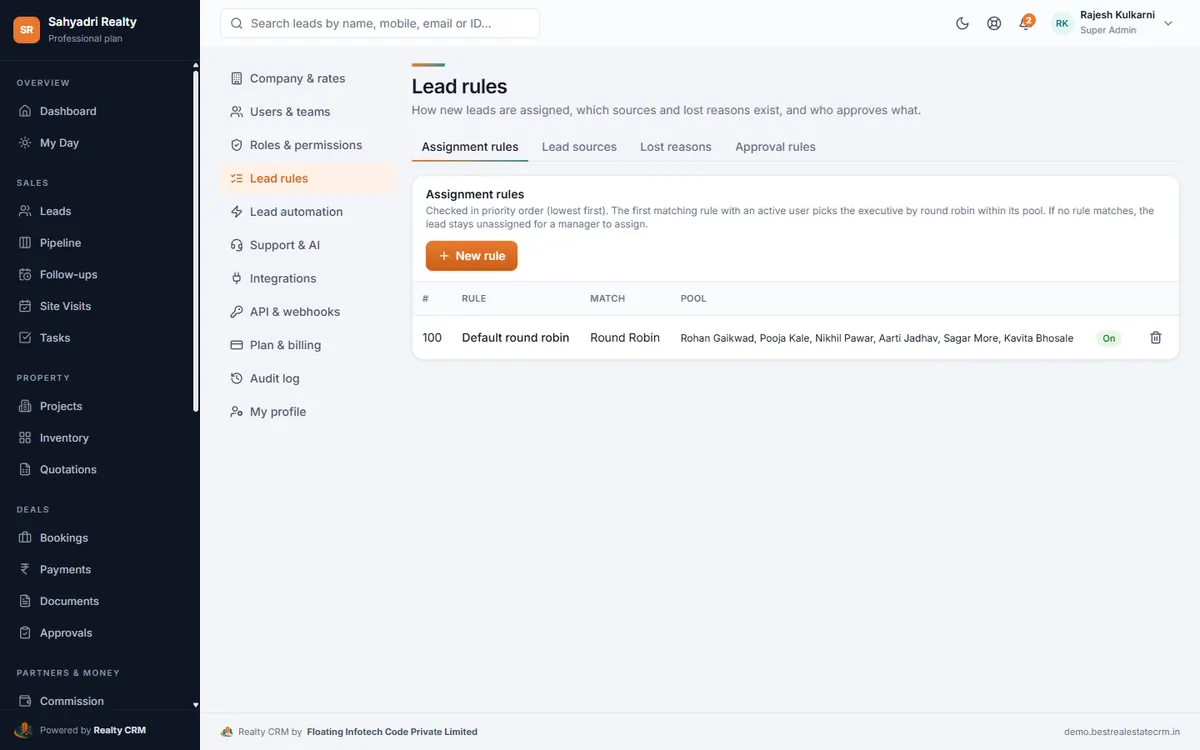
Rules that match how you sell
Rules are checked in the order you set; the first that matches picks the person, rotating within its pool.
- Round robin across the whole team
- Project-wise: each project's enquiries to its own sales team
- Location-wise: enquiries for a locality to the team that sells there
- Campaign-wise: leads from a campaign to the people running it
- Manual: leave some leads for a manager to hand out
Office hours and fair rotation
Leads that arrive outside working hours are held and assigned when the next shift starts. People on leave can be taken out of the rotation with one switch, and new sales people join the default rotation as soon as they are added. If nobody can take a lead, the owners are told instead of the lead waiting unnoticed.
A deadline for the first call
With lead automation on, each new owner gets a first-call follow-up, and a lead nobody contacts in time moves to the next person, with the team leader informed.
Set it up, step by step
Questions about automatic lead assignment
Who gets leads when there is only the owner?
Every workspace starts with a round robin rule that contains the owner, so all leads go to them. Sales people added later who take leads join that rotation automatically.
Which rules are on the Starter plan?
Round robin and manual. Project-wise, location-wise and campaign-wise rules come with the higher plans.
More of Realty CRM
Lead management
Real estate lead management software: every enquiry from ads, portals, your website and walk-ins in one list, duplicates caught, follow-ups automated.
Facebook & Instagram leads
Connect Facebook and Instagram lead ads to your real estate CRM. Leads arrive within a minute, in the right project, with the campaign and ad they came from.
Android app
The Realty CRM Android app for real estate sales teams: today's calls, follow-ups and site visits, one-tap call and WhatsApp, GPS check-in, projects and inventory.